

Beyond Illumination: Unleashing the Full Entertainment Potential of Philips Hue
Remember when lights just, well, turned on and off? It wasn’t that long ago, really. But fast forward to today, and the landscape of our homes has dramatically changed, especially with the quiet revolution brought about by smart lighting. Gone are the days of flicking a basic switch; now, we’re orchestrating entire immersive experiences with just a tap or a voice command. And when we talk about elevating home entertainment, transforming everyday spaces into vibrant, dynamic hubs, Philips Hue invariably leads the conversation.
It’s not merely about having colored bulbs; it’s about weaving light into the very fabric of your digital and physical life. You’re not just illuminating a room; you’re painting it with emotion, with rhythm, with the very essence of what you’re doing. Whether you’re trying to host a virtual bash that feels less like a video call and more like an actual gathering, craving an unparalleled cinematic journey right from your sofa, or simply want to carve out a perfectly serene spot for a quiet evening, Philips Hue offers an astonishing array of possibilities. It truly unlocks the next level of home entertainment, giving you control over ambiance in ways we only dreamed of before. So, let’s pull back the curtain and dive into six innovative, detailed ways you can truly maximize your Philips Hue system, moving far beyond the basics.
Creating a stunning setting for home entertaining.
1. Sync Your Lights with Music: Transform Your Space into a Dynamic Dance Floor
There’s something undeniably primal about light and sound dancing together, isn’t there? It’s a sensory experience that just clicks. Imagine your living room, usually a calm, inviting space, suddenly bursting into a kaleidoscope of colors, pulsing and swaying in perfect harmony with your favorite tracks. This isn’t some complex club setup we’re talking about; this is your Philips Hue system, seamlessly integrated with your Spotify account, turning any ordinary evening into an extraordinary spectacle.
The magic really happens when the Philips Hue app and Spotify connect. The system doesn’t just randomly flash colors; it intelligently analyzes the genre, tempo, and even the mood of the music playing. It then translates these auditory cues into a sophisticated light show, dynamically adjusting brightness, saturation, and color temperature. A thumping bass line might trigger deep, resonant blues and purples, while a soaring guitar solo could erupt in vibrant reds and oranges. It truly makes the music feel more tangible, more alive, wrapping you in its energy.
Getting the Groove On: A Step-by-Step Guide
- Update Your App, Always: First things first, ensure your Philips Hue app is sparkling fresh, running the latest version. Developers are constantly pushing out improvements, and you don’t want to miss out on any crucial features or bug fixes. Sometimes a slightly older version just won’t cut it for seamless integration, you know?
- Navigate to the ‘Sync’ Tab: Open the Hue app and look for the ‘Sync’ tab at the bottom. This is your gateway to connecting your lights with various entertainment sources.
- Link Your Spotify Account: Follow the on-screen instructions to authorize the connection between your Philips Hue and Spotify. It’s usually a straightforward login process, secure and simple.
- Create or Select an Entertainment Area: This is a crucial step that many overlook, but it’s where you define which lights will participate in the show and their spatial relationship to each other. Think about placing your Hue Play light bars behind your TV, a couple of smart bulbs in lamps on either side of the room, and maybe a light strip along a bookshelf. The app will guide you in virtually arranging these lights, telling it where each one is in your physical space. This spatial awareness allows for much more nuanced and directional lighting effects, making it feel like sound waves are literally washing over your room.
- Hit Play on Spotify: Once your Entertainment Area is set up, fire up Spotify. Choose any song, playlist, or even a podcast, though let’s be real, podcasts don’t quite have the same beat for dancing lights, do they? But hey, your call! The system will actively listen to what’s playing.
- Activate Sync in the Hue App: Back in the Hue app, toggle the sync feature on for your chosen Entertainment Area. Prepare for a transformation. Your lights will begin to respond, shifting and shimmering with every beat, every melody, every crescendo. It’s truly a sight to behold, trust me.
I remember hosting a small impromptu gathering once, and after a bit of coaxing, I activated the Spotify sync. The moment ‘Blinding Lights’ dropped, the entire living room pulsed electric pink and blue, perfectly matching the synth-wave vibe. It was phenomenal, truly set the mood, and everyone immediately started dancing. It wasn’t just background music anymore; it was part of the experience, a vibrant, living backdrop.
Beyond basic setup, consider experimenting with different genres. Electronic dance music will, of course, create a high-energy, club-like atmosphere, but try some jazz or classical. You might be surprised by the subtle, elegant shifts in color and brightness that emerge, adding a sophisticated layer to the music. You can also explore third-party apps, often found in the Hue Labs section or app stores, that offer even more intricate customization, perhaps mapping specific instruments to individual lights. The possibilities, as they say, are practically endless, and it really adds an extra layer of excitement to any gathering, virtual or otherwise.
2. Create an Immersive Movie Night with Surround Lighting
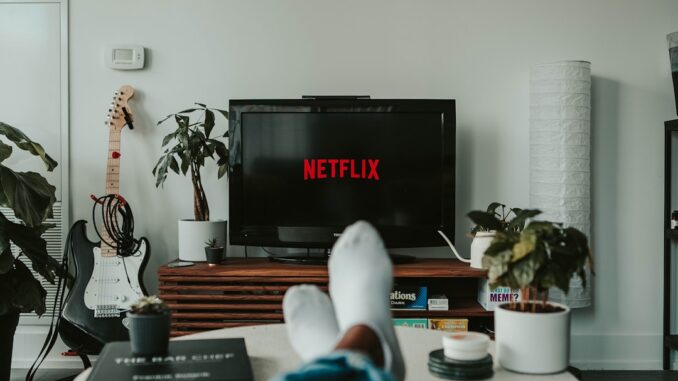
Watching a movie at home has become a cornerstone of our entertainment lives, but let’s be honest, staring at a static screen, even a big one, can sometimes feel a bit… flat. What if the on-screen action didn’t just stay confined to the display but bled out into your entire viewing space, enveloping you in its world? This is precisely the magic that the Hue Play HDMI Sync Box brings to your movie nights, transforming passive viewing into an active, breathtaking experience. It makes your lights change colors, dim, brighten, flash, and dance along with every single frame, creating a truly cinematic atmosphere that pulls you right into the narrative.
The Sync Box isn’t just a simple pass-through device. It’s a sophisticated piece of tech that acts as the brain between your video sources and your Hue lights. You plug your various HDMI devices – your Blu-ray player, streaming stick, game console, whatever – into the Sync Box, and then the Sync Box connects to your TV. As video content flows through it, the Sync Box actively analyzes the incoming signal in real-time. It’s looking at the dominant colors, the sudden flashes, the overall mood, and then, with incredible speed, it sends precise commands to your selected Philips Hue lights. This creates a seamless, dynamic extension of your screen onto the walls and into your room, making the visual experience significantly more engaging.
Setting the Scene: Your Cinematic Setup Guide
- Connect the Hue Play HDMI Sync Box: First, get your Sync Box wired up. Connect all your HDMI input devices (like a gaming console, Apple TV, or Blu-ray player) to the Sync Box’s input ports. Then, run a single HDMI cable from the Sync Box’s output to an HDMI input on your TV. Crucially, connect it to your Philips Hue Bridge, which acts as the central hub for your smart lights. The Bridge is essential for all these sophisticated interactions.
- Strategic Light Placement: This is where the artistry comes in. For optimal surround lighting, strategically place Philips Hue Play light bars or Hue Lightstrips behind your TV. These are designed to cast a powerful, diffuse light onto the wall behind your screen, creating that stunning halo effect. You can also incorporate other Hue lights, like lamps or floor lights, placed on the sides or even slightly in front of your viewing area, to extend the immersive effect further into the room. Experiment with positioning; often, pointing lights slightly away from the TV and towards the wall yields the best results, preventing glare and maximizing the ambient wash.
- Calibrate with the Hue Sync App: Download and open the dedicated Hue Sync mobile app. This app is distinct from the main Hue app and is used specifically for managing the Sync Box and its accompanying lights. Within the app, you’ll set up your Entertainment Area, much like with music sync, by virtually placing your lights on a grid that represents your physical room layout relative to the TV. This calibration tells the Sync Box where each light is, allowing it to accurately project colors from specific parts of the screen to the corresponding light in your room.
- Fine-Tune Your Experience: The Hue Sync app offers various intensity settings. You can adjust how aggressively the lights react to the on-screen content, from a subtle ambient glow to a full-on flashing frenzy. You can also choose between different modes optimized for video, music (if you choose to use it for that, although Spotify integration is usually better for pure music), or gaming. Don’t forget to test different content! A visually rich documentary will highlight the system’s ability to render subtle color shifts, while an action movie will show off its dynamic flashing capabilities.
My partner and I watched a sci-fi epic last week, and it was incredible. Every time a spaceship blasted off, our entire living room actually flared with engine exhaust colors – deep oranges, vibrant blues. It felt like the film wasn’t just on the screen; it was surrounding us. And during a particularly tense chase scene through a shadowy corridor, the room’s lighting echoed the flickering, low-light environment perfectly, making the suspense almost unbearable. It’s wild how much it pulls you into the narrative, blurring the lines between the story and your physical space, truly making you feel a part of the action. This setup fundamentally changes how you experience visual media at home, enhancing the realism and excitement of your viewing experience to an extraordinary degree.
3. Host a Virtual Party with Customized Lighting
In our increasingly connected world, virtual gatherings have moved from a novelty to a necessity, a brilliant way to stay close even when miles apart. But let’s be honest, staring at a gallery of faces on a screen can sometimes feel a bit… distant, a little lacking in the usual party buzz. That’s where Philips Hue steps in, elevating your virtual events from simple video calls to vibrant, themed celebrations. It’s about bringing that elusive party atmosphere into your personal space, even if your friends are only visible through a webcam feed.
Think about it: the right lighting dramatically influences mood, doesn’t it? A dimly lit room feels cozy, while bright lights convey energy. For a virtual party, you’re not just decorating your space; you’re crafting a backdrop that reflects the occasion, setting a tone that transcends the screen. It’s a way to add a personal, often playful, touch to your virtual events, making them more engaging and infinitely more memorable. You’re essentially creating your own little stage, and the lighting is your most powerful prop.
Crafting the Perfect Virtual Vibe:
- Decorate with Intent: Start by decorating your physical space with festive colors using your Philips Hue lights. Are you having a virtual birthday? Blast out some celebratory, bright hues – maybe a mix of vibrant pinks, blues, and yellows. A holiday party? Think warm reds and greens, or even cool, wintry blues and whites. The idea is to transform your immediate surroundings into a visual extension of the party’s theme, making your little corner of the internet feel like a genuine event space.
- Sync to the Beat (Virtually): As we discussed, integrating your lights with music via Spotify is a game-changer. For a virtual dance party, have a designated DJ playlist running on your end, synced with your Hue lights. Even if your friends can only hear the music faintly through your mic, they’ll see your room pulsating with light, a powerful visual cue that shouts ‘party!’ It adds an incredible layer of dynamism, especially for those high-energy moments.
- Leverage Hue Scenes and Routines: The Hue app is a treasure trove of possibilities for customized lighting. Instead of just picking a single color, explore ‘Scenes.’ These are pre-set or custom combinations of colors and brightness levels across multiple lights. For instance, you could create a ‘Tropical Beach Party’ scene with warm sunset hues of orange, red, and yellow, perhaps with a soft, slow cycle to mimic the gentle lapping of waves. Or maybe a ‘Retro Disco’ scene featuring kaleidoscopic purples, greens, and pinks. You can even set up routines that automatically shift scenes at certain times, guiding the party’s progression – maybe starting with a relaxed ‘cocktail hour’ scene and transitioning to a high-energy ‘dance floor’ scene later on. This level of control allows you to tell a story with your lighting, creating a progression of moods throughout your virtual event.
- Embrace Dynamic Effects: Don’t forget the ‘Effects’ section in the Hue app. You can set lights to flicker like a fireplace, pulse gently, or even simulate candles. For a spooky Halloween virtual party, a flickering orange and purple scene could be incredibly effective. For a cozy book club meeting, a gentle, warm pulse might add just the right amount of inviting ambiance.
I had a virtual birthday last month, and I actually went all out. I set up a shimmering, shifting disco scene in my office – reds, blues, greens, constantly in motion. Even though everyone was miles away, logging in from their own homes, seeing my space so alive and vibrant really sparked something. It felt like we were all in the same lively, colorful space, even with the distance. It definitely made the screen-fatigue less of a thing, injecting a much-needed dose of shared festivity into the digital realm. It’s about creating a multisensory experience that bridges the physical divide, making your virtual connections feel more tangible and, dare I say, a whole lot more fun.
4. Set Up a Wake-Up Light for a Refreshing Start
Let’s be honest, that jarring ‘BEEP BEEP BEEP’ of a traditional alarm clock is probably one of the most hated sounds on the planet. It jolts you from deep sleep, spikes your stress hormones, and often leaves you feeling more groggy and irritated than ready to tackle the day. But what if your morning started differently? What if, instead of being rudely awakened, you gently, naturally, and positively transitioned from slumber to wakefulness? This isn’t wishful thinking; it’s exactly what Philips Hue’s wake-up light feature offers, simulating a natural sunrise to bring you into your day feeling refreshed and energized.
The concept isn’t just about turning on a light; it’s rooted in the science of our circadian rhythms, the body’s internal clock. Natural light plays a crucial role in regulating these cycles. As dawn breaks, the increasing light exposure signals our brains to gradually reduce melatonin production (the sleep hormone) and gently increase cortisol (the wakefulness hormone). This gradual process helps our bodies prepare for activity, leading to a much smoother, more pleasant awakening. Philips Hue ingeniously mimics this natural phenomenon, tricking your body into believing it’s a beautiful, gentle sunrise, even if it’s still pitch black outside.
Your Gentle Morning Routine: A Step-by-Step Guide
- Access Routines in the Hue App: Open your Philips Hue app and navigate to the ‘Routines’ or ‘Automations’ section. This is where you schedule actions for your lights.
- Create a Wake-Up Routine: Select the option to create a new routine and choose ‘Wake up’ or ‘Sunrise simulation.’
- Set Your Desired Wake-Up Time: Input the exact time you want to be fully awake. The system will then calculate when to start the simulation to reach full brightness by this time.
- Choose the Duration: This is key. A typical sunrise simulation usually lasts between 20 to 30 minutes, but you can adjust this to your preference. A longer duration means a more gradual, subtle transition. For instance, if you want to be awake by 7:00 AM and choose a 30-minute duration, your lights will start brightening at 6:30 AM.
- Select Your Lights and Color Progression: Choose the specific Philips Hue lights you want to participate in this routine. Then, and this is where the magic really shines, set the color progression. For a truly natural sunrise effect, start with very dim, deep red or amber tones, gradually shifting through oranges and soft yellows, and finally culminating in a bright, warm white light. This mimics the sun’s journey across the sky, from dawn’s first blush to full daylight.
- Optional: Add an Audio Element: While the light itself is powerful, some Hue systems and integrated apps allow you to add a gentle audio component – think birdsong, soft chimes, or gentle nature sounds – that slowly fades in as the light brightens. This multi-sensory approach can make the wake-up even more peaceful and effective.
I used to hit snooze five times, I’m not exaggerating, genuinely a struggle to peel myself out of bed. Since I started with a Hue sunrise, I actually feel like I’m waking up with the day, not against it. It’s a game-changer for my morning routine, honestly. Instead of feeling like I’ve been ripped from sleep, I feel a slow, calm emergence into consciousness. It’s remarkable how much of a difference it makes to my mood and energy levels throughout the day. This method provides a gentle, remarkably natural way to start your day, significantly enhancing your overall well-being and setting a positive tone before you even put your feet on the floor.
5. Enhance Your Gaming Experience with Dynamic Lighting
For gamers, immersion is the holy grail. We chase it with high-refresh-rate monitors, surround sound headsets, and powerful graphics cards. But what if your gaming world could extend beyond the screen, bleeding into your physical room, responding dynamically to every explosion, every health drop, every environmental shift? Philips Hue integration with gaming isn’t just a gimmick; it’s a powerful tool that amplifies immersion, heightens situational awareness, and frankly, makes gaming an absolutely electrifying experience. It takes your gaming sessions to an entirely new level, making you feel more connected to the virtual world than ever before.
The integration works on several fascinating levels, ranging from subtle ambient shifts to intense, reactive flashes. It’s about more than just making your room glow in your game’s primary color; it’s about intelligent, real-time feedback that enhances every aspect of your play, whether you’re exploring vast open worlds, battling hordes of enemies, or navigating a tense horror scenario. The lights become an extension of the game itself, a visual echo of its every beat.
Integrating Your Lights for Peak Gaming Performance:
- Direct Game Integration (PC Gaming): Many modern PC games and gaming peripherals now boast native Philips Hue integration. Companies like Razer (with their Chroma ecosystem) and Corsair (with iCUE) allow you to sync your Hue lights directly with their hardware, creating a unified RGB experience. This means your keyboard, mouse, headset, and room lights can all react in concert to in-game events – think a red flash when you take damage, a blue glow when you’re underwater, or a pulsing yellow when your ultimate ability is ready. You’ll usually find these options in the game’s settings or through companion software for your gaming gear.
- Philips Hue Sync Desktop App (PC Gaming): For games without native integration, the Philips Hue Sync desktop app is your best friend. This application runs on your PC and analyzes the content on your monitor in real-time, much like the HDMI Sync Box does for TVs. You can create specific Entertainment Areas, mapping zones of your screen to individual lights in your room. When an explosion fills the bottom-right corner of your screen, the light in the bottom-right of your entertainment area will blast orange and red. It’s incredibly effective and works with virtually any PC game.
- Hue Play HDMI Sync Box (Console Gaming): For console gamers (PlayStation, Xbox, Nintendo Switch), the Hue Play HDMI Sync Box is the gateway to dynamic lighting. As mentioned in the movie section, you plug your console into the Sync Box, and it interprets the video signal, sending corresponding commands to your Hue lights. This brings the same level of immersive, reactive lighting to your console gaming sessions, blurring the lines between your screen and your living room.
- Strategic Light Placement: Just like with movie watching, thoughtful light placement is crucial. Light bars behind your monitor or TV, lightstrips under your desk, and even smart bulbs in floor lamps can all contribute. Consider lights that face away from you, reflecting off walls, to create a more diffused and less distracting effect. You want to be immersed, not staring directly into bright lights.
- Customization and Profiles: Most Hue integration methods allow you to create custom lighting profiles for different games or genres. For an RPG, you might prefer subtle ambient shifts reflecting the game’s world. For a fast-paced FPS, you’ll want rapid, intense flashes for gunfire and explosions. Experiment with intensity settings to find what feels best for each game you play.
Playing a horror game with Hue sync, for instance, is a whole other level of terrifying. When an enemy jumps out, and the lights suddenly flash red and flicker erratically? My heart practically leaped out of my chest, I’m not kidding. It’s not for the faint of heart, I’ll tell you that. Conversely, exploring a lush, vibrant open world feels even more expansive when your room is bathed in the rich greens and blues of an alien forest. The lights don’t just add a cool effect; they actively contribute to the tension, excitement, and overall narrative, making your gaming experience far more engaging and undeniably enjoyable. It’s truly a leap forward for home gaming setups.
6. Create a Cozy Reading Nook with Ambient Lighting
In our increasingly digital, always-on world, finding a true sanctuary for quiet contemplation or deep immersion in a book feels more important than ever. While we’ve talked a lot about high-energy entertainment, Philips Hue also excels at crafting spaces for calm, focus, and relaxation. Transforming a corner of your home into a cozy reading nook with perfectly tailored lighting isn’t just about illuminating pages; it’s about creating an inviting, comfortable atmosphere that encourages deep concentration and serene unwinding. It’s about making your reading experience not just enjoyable, but truly restorative.
The key here is understanding the nuances of reading light. Glare is the enemy; consistent, even illumination is your friend. The right brightness prevents eye strain, and the appropriate color temperature can influence your mood, help with focus, and even prepare your body for sleep. Philips Hue gives you granular control over all these factors, allowing you to fine-tune your environment for different types of reading, different times of day, and even different genres of books. You’re not just turning on a lamp; you’re orchestrating an experience designed for intellectual pleasure and relaxation.
Designing Your Personal Reading Retreat:
- Strategic Light Placement: Start by selecting the right Hue light for your reading area. An E27 or E14 smart bulb in a floor lamp or a table lamp placed strategically beside or slightly behind your reading chair works wonders. Avoid placing the light directly above your head, as this can create harsh shadows on your book or e-reader. For a wider, softer glow, consider a Hue Go portable lamp or even a Hue Lightstrip tucked discreetly under a shelf above your nook. The goal is to provide ample, even light without creating hotspots or shadows that strain your eyes.
- Adjust Brightness and Color Temperature: This is where the magic of Hue truly shines. Open the Hue app and experiment. For focused reading, a brighter, neutral white light (around 4000K-5000K) can enhance concentration and mimic daylight. As the evening progresses and you want to unwind, shift to warmer, dimmer tones (2200K-2700K), which are more soothing and help signal to your body that it’s time to relax. For an e-reader, you might find you need less ambient light since the screen itself is illuminated, allowing for a lower, warmer setting.
- Create Custom Reading Scenes: Don’t just pick one setting; create several ‘Scenes’ within the Hue app. You might have a ‘Focus Reading’ scene for non-fiction or study, a ‘Relaxed Novel’ scene with a softer, warmer glow, and a ‘Wind Down’ scene that’s very dim and amber. This allows you to instantly recall the perfect lighting for any mood or task.
- Integrate with Routines for Unwinding: Consider setting up a routine that gently dims your reading lights at a specific time each evening. For example, if you aim to be in bed by 10 PM, a routine could start at 9 PM, slowly dimming and warming the lights over 30-60 minutes. This acts as a subtle, non-intrusive cue to signal the end of your reading session and prepare your mind and body for sleep, aligning with your natural circadian rhythm.
- Beyond Reading: Your cozy nook doesn’t have to be just for books. This meticulously crafted ambient lighting is also perfect for meditation, journaling, listening to a podcast, or simply enjoying a cup of tea in quiet contemplation. It becomes a versatile haven for any activity that requires calm and focus.
After a long day staring at screens, my reading nook with its soft, amber glow is my little slice of heaven. I’ve even got a scene called ‘Twilight Pages’ that just gently dims over an hour, a lovely subtle cue to unwind after a particularly gripping chapter. It’s not just functional; it’s an integral part of my relaxation ritual. This approach enhances your reading experience, making it not only more enjoyable and relaxing but also a truly restorative practice in your daily life.
The Power of Personalized Light: Your Home, Illuminated
In our modern lives, where digital noise and constant connectivity often vie for our attention, the ability to consciously shape our physical and emotional environments becomes an incredibly powerful tool. Philips Hue smart lighting isn’t just about illuminating a room; it’s about empowering you to curate experiences, to sculpt ambiance, and to truly transform your home into a dynamic, personalized entertainment and relaxation hub. From the pulsating energy of a living room turned dance floor to the serene embrace of a perfectly lit reading nook, the versatility is nothing short of impressive.
What’s truly fascinating is how these seemingly simple light bulbs, connected through a sophisticated yet user-friendly ecosystem, can so profoundly impact our moods, our focus, and our overall well-being. It’s a testament to the intelligent design that places user experience at its core. Whether you’re hosting an epic virtual party that feels genuinely engaging, immersing yourself in a movie night that rivals the cinema, or just creating a tranquil space to unwind after a demanding day, Philips Hue offers the flexibility and customization to elevate every moment. So, go on, explore, experiment, and let your imagination light up your world. Your home, after all, is your canvas, and with Philips Hue, you’re the master artist.
References
- Philips Hue UK: 6 ways to stay entertained at home philips-hue.com
- Philips Hue UK: Best party light ideas for home philips-hue.com
- Philips Hue UK: Surround lighting philips-hue.com
- More Hue: 10 creative ways to use Philips Hue smart lighting in your home morehue.com
- Techlicious: 10 Things You Can Do with Philips Hue techlicious.com
This is a great overview of Philips Hue’s entertainment potential. I’m particularly intrigued by the possibilities for enhancing gaming experiences with dynamic lighting. Has anyone experimented with using IFTTT or similar services to trigger lighting effects based on game-specific events beyond basic color syncing?
Thanks for the kind words! That’s a great question. I haven’t personally delved into IFTTT for gaming, but I’ve seen some impressive setups using it to trigger lighting based on Twitch notifications or even Discord events. It could add a whole new layer of immersion. I’d love to hear if anyone has some cool IFTTT recipes they’d recommend!
Editor: ElegantHome.News
Thank you to our Sponsor Elegancia Homes
The wake-up light simulation is intriguing. Could adjusting the blue light emitted during the day, to mimic natural sunlight, further enhance alertness and productivity, complementing the evening’s warm tones for relaxation?
That’s an interesting point about adjusting blue light during the day! It’s true that the spectrum of natural sunlight is more than just warm tones. Optimizing daytime lighting for alertness could be a fantastic addition to the Philips Hue system’s capabilities. Thanks for sparking that thought!
Editor: ElegantHome.News
Thank you to our Sponsor Elegancia Homes
Given the entertainment focus, have you considered using IFTTT to link Philips Hue to other smart home devices like sound systems or even appliances? Could automating events like dimming the lights and starting music when a specific game launches further enhance the immersive gaming experience?
Great point! The possibilities of linking Philips Hue with IFTTT to enhance the gaming experience are incredible. Setting up automations that trigger lighting, music, and even appliance adjustments based on game events could seriously up the immersion factor. I’m keen to explore this further and would love to hear about anyone’s experience with this setup.
Editor: ElegantHome.News
Thank you to our Sponsor Elegancia Homes
Beyond basic color changes, has anyone utilized Philips Hue’s capabilities to subtly indicate in-game character status, such as health or mana levels, perhaps through gradual shifts in brightness or hue?
That’s a really creative idea! Character status indication via subtle shifts in brightness or hue would definitely enhance immersion. Perhaps even a specific color could trigger on a critical hit! Has anyone built a profile with IFTTT, Razer Chroma, or Corsair iCue to achieve this? #PhilipsHue #GamingSetup
Editor: ElegantHome.News
Thank you to our Sponsor Elegancia Homes
Considering the emphasis on transforming spaces, how might integrating Philips Hue with architectural lighting design further enhance the immersive experience, perhaps by considering wall washing or accent lighting techniques?
That’s a fantastic point! Thinking about architectural integration, imagine using Hue to highlight existing features like textured walls or art niches. Subtle color washes could drastically alter the perceived space and draw attention to architectural details. Blending smart lighting with design opens up even more immersive potential!
Editor: ElegantHome.News
Thank you to our Sponsor Elegancia Homes